RSS (Really Simple Syndication) is a quick, unobtrusive, automatic way to receive news.
You can be immediately informed of any of our new articles and plans very simply, without having to spend a lot of time accessing the Internet.
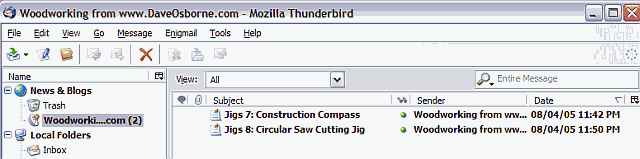
There are various free RSS viewers available. This is how it looks in Thunderbird, a much better emailer than Outlook. Thunderbird comes with its own built-in RSS viewer that displays the headlines similar to email as shown in this picture:
You can download Thunderbird (a very small download for full-fledged email software—5.8MB) at http://www.mozilla.org/products/thunderbird/
To have Thunderbird access our RSS, get Thunderbird running, then go up to Tools and click on Account Settings. If there is no item in the left-hand listing called News & Blogs, click on the Add Account button, which is just below the left-hand listing, select RSS News & Blogs and click on the Next buttons.
In the left-hand listing, select News & Blogs and click on the Manage Subscriptions button, then click on the Add button. Enter into the space labeled Feed URL: http://daveosborne.com/rss.php?f=2, checkmark "Show the article summary instead of loading the web page", and click the OK buttons. Thunderbird will automatically check our site each day to see if new articles or plans are there.
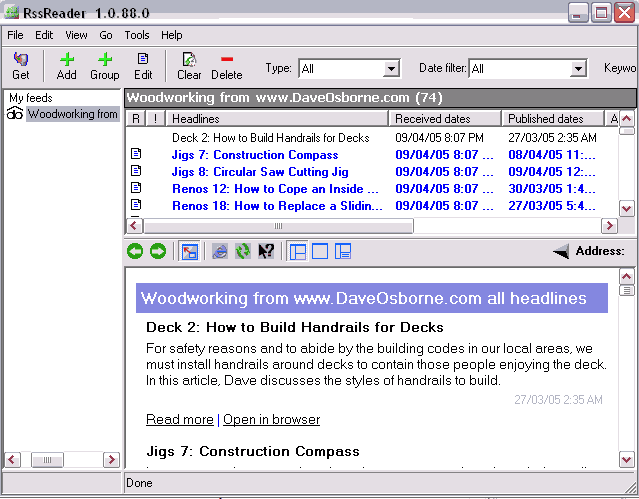
If you don't want to change your email software, you can download (1.5 MB) a free RSS viewer from http://www.rssreader.com/download.htm and add our RSS feed by clicking the Add button and entering http://daveosborne.com/rss.php?f=2 and clicking the Next buttons.
Dan
Dave's brother and webmaster